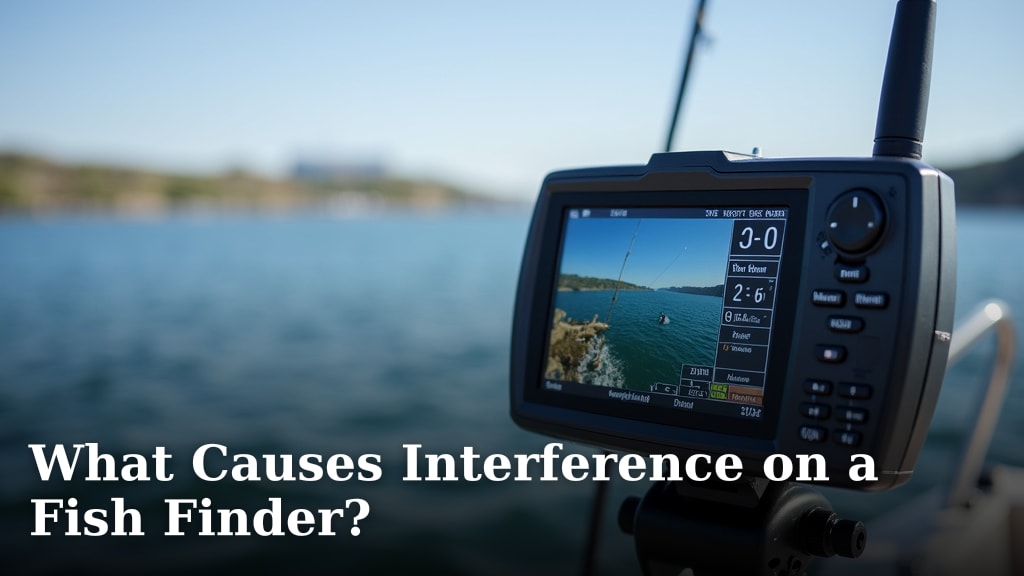
What Causes Interference on a Fish Finder?
Interference on your fish finder happens for a few main reasons, most often due to electrical noise from your boat’s motor or other electronics, or from other fish finders operating nearby. Sometimes, a poor transducer installation can also cause these pesky signals to appear. Don’t worry, it’s usually fixable!
We’ve all been there, staring at a screen full of static instead of sweet sonar data. It’s frustrating when your fish finder shows weird lines or fuzzy patches. Understanding the common causes, like nearby electronics or even the depth of your transducer, can help you pinpoint the problem and get back to scanning for fish. Many anglers find that simple adjustments can make a big difference. Our guide to how accurate fish finders are can help you understand what to expect.
- Electrical noise from your boat is a common culprit.
- Other fish finders nearby can cause signal conflicts.
- Transducer placement and installation matter a lot.
- Loose wires or poor connections are also frequent offenders.
- Sometimes, software updates can resolve display issues.
Let’s dive into what’s really going on and how you can fix that fish finder interference so you can get back to fishing!
Here’s the main body content:Troubleshooting Interference on Your Fish Finder
Seeing strange lines or fuzzy patches on your fish finder screen can be frustrating. These visual disturbances, often called interference, can make it hard to see what’s below. We’ve researched the most common culprits. Understanding these can help you get a clear picture and find more fish. Understanding how fish finders detect fish can help you interpret the signals you’re seeing.
Common Sources of Fish Finder Interference
Electrical Noise from Your Boat
Your boat’s own electrical system can be a major source of interference. Think of it like static on a radio. Other electronic devices on your boat can emit electromagnetic signals. These signals can travel through your wiring. They can then disrupt your fish finder’s sonar waves. This is especially true for high-powered items. Things like bilge pumps, trolling motors, and even your boat’s ignition system can cause this.
Trolling Motor Interference
Trolling motors are a frequent cause of interference. Their electric motors generate a lot of electrical noise. This noise can travel through the power supply. It can also radiate outwards as radio waves. This is why interference often appears when you turn on your trolling motor. We found that many anglers experience this issue.
Other Onboard Electronics
Other electronics on your boat can also create noise. This includes things like VHF radios, GPS units, and even LED lights. These devices use electricity. They can sometimes leak electrical noise into the water or through your power cables. This can manifest as lines or static on your fish finder display. It’s important to keep these devices as far away from your transducer as possible.
Interference from Other Sonar Sources
Have you ever been fishing near another boat? You might have noticed interference on your screen. This happens because fish finders use sonar. Sonar works by sending out sound waves. When multiple fish finders operate on similar frequencies nearby, their signals can overlap. This overlap can confuse your unit. It can lead to false readings or ghost images. This is especially common in crowded fishing areas.
Frequency Conflicts
Different fish finder models operate on various frequencies. However, many common frequencies can overlap. If another boat’s fish finder is using a similar frequency, you can experience interference. Some units allow you to adjust frequencies. This can help you avoid or minimize conflicts. We found that switching to a less common frequency can often solve this problem.
Proximity Issues
The closer another boat’s fish finder is to yours, the more likely you are to experience interference. This is because the sonar signals weaken with distance. When boats are very close, the signals are strong enough to interfere. It’s like trying to have a quiet conversation in a loud room. The closer you are to the noise source, the harder it is to hear clearly.
Transducer Installation and Placement Issues
Your transducer is the “ear” and “mouth” of your fish finder. It sends and receives the sonar signals. If it’s not installed correctly, it can lead to interference. A poorly positioned or damaged transducer can cause a variety of display problems. This is a very common issue we see.
Improper Mounting Angle
The transducer needs to be pointed straight down into the water. If it’s angled too much, the sonar beam won’t be accurate. It might also pick up signals from the hull of your boat. This can create false readings and a cluttered screen. Many experts recommend checking the angle regularly (NMMA standards).
Air Bubbles and Cavitation
Air bubbles or turbulent water around the transducer can disrupt the sonar signal. This is known as cavitation. It can happen if the transducer is mounted too close to a chine or a step on your hull. These bubbles block the sound waves. This results in a weak or distorted signal. Proper placement, away from water flow disruptions, is key.
Loose or Damaged Transducer Cable
The cable connecting your transducer to the head unit is critical. If this cable is loose, frayed, or damaged, it can cause all sorts of problems. A poor connection can lead to intermittent signal loss. It can also introduce electrical noise. Always inspect the cable for any visible damage. Ensure it’s securely plugged into the fish finder.
Wiring and Connection Problems
Beyond just the transducer cable, general wiring issues on your boat can cause interference. Loose connections, corroded terminals, or improper wiring can all introduce unwanted electrical noise into your fish finder’s system.
Power Supply Issues
Your fish finder needs a clean and stable power supply. If the power wires are loose, corroded, or too thin for the length, they can cause problems. Voltage drops can affect performance. Noise can also travel through faulty power connections. We found that using marine-grade connectors and proper gauge wiring is essential for a clear signal.
Grounding Problems
A good electrical ground is important for any electronic device. If your fish finder is not properly grounded, it can be more susceptible to electrical interference. This is because the electrical system on your boat might not be able to properly dissipate stray electrical currents. Many marine electronics manuals recommend a dedicated grounding point.
Software and Settings Issues
Sometimes, the problem isn’t with your equipment at all. It could be a simple matter of outdated software or incorrect settings on your fish finder.
Outdated Software
Manufacturers often release software updates. These updates can improve performance and fix bugs. They might also include enhancements to signal processing. If your fish finder’s software is old, it might be more prone to interference issues. Checking the manufacturer’s website for updates is a good troubleshooting step.
Incorrect Sonar Settings
Your fish finder has various settings that control how it displays sonar data. If these settings are not optimized for your current conditions, you might see interference. For instance, the sensitivity setting might be too high. This can cause the unit to display even minor noise as a reading. Adjusting sensitivity, noise rejection, and color palettes can often help. Many users find that experimenting with these settings resolves display issues.
Interference Checklist: Quick Fixes
If you’re experiencing interference, try these quick checks:
- Turn off other electronics one by one to see if interference stops.
- Check transducer mounting for secure attachment and proper angle.
- Inspect transducer cable for damage and ensure it’s plugged in tightly.
- Verify power and ground connections for tightness and corrosion.
- Restart your fish finder to clear temporary glitches.
- Update your fish finder’s software if an update is available.
Conclusion
Dealing with interference on your fish finder can be a real headache, but you’ve learned the main culprits. We’ve seen how electrical noise from your boat’s systems, signals from nearby fish finders, and issues with transducer installation are the most common causes. You also know that simple checks like inspecting wiring and updating software can often solve the problem. Don’t let a fuzzy screen stop you. Take a systematic approach to troubleshooting, starting with the easiest fixes. You’ll be back to a clear sonar picture and finding fish in no time!
Frequently Asked Questions
How do I know if my trolling motor is causing interference?
If the interference on your fish finder appears or gets worse when you turn on your trolling motor, it’s a strong indicator. We found that checking your sonar screen when the motor is off versus when it’s on can help confirm this. Sometimes, running a separate power wire for your fish finder can also help isolate the issue.
Can I adjust my fish finder’s frequency to avoid interference from other boats?
Yes, many fish finders allow you to change their operating frequencies. If you’re in a crowded area and experiencing interference, try switching to a less common frequency. This can help your unit avoid overlapping signals with other nearby boats.
What is cavitation and how does it affect my transducer?
Cavitation occurs when air bubbles or turbulent water flow around your transducer. These bubbles can block or distort the sonar waves. Improper transducer mounting, especially near hull features that disrupt water flow, is often the cause.
Is it worth updating my fish finder’s software?
Absolutely. Manufacturers often release software updates to improve performance and fix known issues, including those that cause interference. We recommend checking your manufacturer’s website periodically for any available updates for your specific model.
My fish finder screen is fuzzy, but I’m not near other boats. What else could it be?
If you’re not experiencing interference from other boats, focus on your own vessel. Check for electrical noise from other onboard electronics like bilge pumps or radios. Also, carefully inspect your transducer’s mounting and cable connections for any signs of damage or loose fittings.