5 Best Humminbird Side Imaging Fish Finders (October 2026)
The best Humminbird side imaging fish finders include the Humminbird XPLORE Series GPS Fish Finder MEGA for a larger chartplotter display, the Humminbird Helix 7 G4 GPS Fish Finder for side imaging with a transducer included, and the Humminbird Helix 7 G4N GPS Fish Finder for GPS and networking without side imaging.
On this page (5 sections)
The best Humminbird side imaging fish finder in this group is the XPLORE Series GPS Fish Finder MEGA, with MEGA Side Imaging+ reaching 200 ft on each side. For a 7-inch display with a transducer included, consider the HELIX 7 G4.
Side imaging helps you scan water beside the boat for structure and fish. For a quick primer on how the sonar view works, read [What Is Side Imaging on a Fish Finder?
The Short Answer](/what-is-side-imaging-on-a-fish-finder/).
This comparison includes two units with side imaging specified, one down-imaging model, one accessory and one unit whose details specify down imaging rather than side imaging. We compared their stated sonar, display, transducer and navigation features against the needs of anglers choosing a Humminbird setup.
Our picks at a glance
-
1
 Best for a larger chartplotter display
Humminbird XPLORE Series GPS Fish Finder MEGA
9.5/10 our score
See it on Amazon -
2
 Best for side imaging with a transducer included
Humminbird Helix 7 G4 GPS Fish Finder
9.3/10 our score
See it on Amazon -
3
 Best for GPS and networking without side imaging
Humminbird Helix 7 G4N GPS Fish Finder
9.0/10 our score
See it on Amazon
- 4
 Check it
Humminbird PiranhaMAX 4 Fish Finder
Best for a compact down imaging display - 5
 Check it
Humminbird PC-11 Power Cable for Side-Imaging Units
Best for a compatible replacement cable
Which Humminbird side imaging fish finder fits your setup?
The XPLORE leads for side coverage and screen size, while the HELIX 7 G4 is the more direct fit if you want a transducer included. The other picks serve different needs, so check their imaging type before treating them as side imaging alternatives.
| Product | Best for | Side imaging | Display | Transducer | Our score |
|---|---|---|---|---|---|
| Humminbird XPLORE Series GPS Fish Finder MEGA | a larger chartplotter display | MEGA Side Imaging+, 200 ft on each side | 10 in touchscreen and keypad | Not included | 9.5 |
| Humminbird Helix 7 G4 GPS Fish Finder | side imaging with a transducer included | MEGA Side Imaging, 125 ft on each side | 7 in color TFT | Included, XNT 9 HW MSI 150 T | 9.3 |
| Humminbird Helix 7 G4N GPS Fish Finder | GPS and networking without side imaging | Not stated; MEGA Down Imaging is specified | 7 in color TFT | Not included | 9.0 |
| Humminbird PiranhaMAX 4 Fish Finder | a compact down imaging display | 4.3 in color LCD | Included, XNT 9 DI T | 9.1 | |
| Humminbird PC-11 Power Cable for Side-Imaging Units | a compatible replacement cable | 9.6 |
How we chose these Humminbird imaging picks
We compared the stated imaging type and range, display size, included transducer, GPS and connections. Our score weighs specs and features against what you're shopping for.
A model with a stated side imaging range is a closer match to this search than one that only names down imaging. Transducer inclusion also matters: a control head may need a separate compatible transducer before you can use sonar.
What does side imaging range tell you?
A stated range describes coverage to either side of the boat. The XPLORE specifies 200 ft per side, while the HELIX 7 G4 specifies 125 ft per side.
That range is one part of the decision. Screen size, mounting room and transducer needs affect whether the unit fits your boat and fishing routine.
See our comparison of side imaging vs down imaging fish finders for help choosing the view you need.
Do you need a separate transducer?
Check the included components before you buy. The HELIX 7 G4 includes a transducer, while the XPLORE and G4N are control head only.
If you need a compatible replacement or separate transducer, compare our guide to the best Humminbird side imaging transducers. Confirm compatibility with your exact unit before choosing one.
Humminbird side imaging fish finder picks
The XPLORE and HELIX 7 G4 are the direct side imaging choices here, with different screen sizes and transducer arrangements. The remaining picks are useful for narrower jobs, but their stated features do not make them equivalent side imaging units.
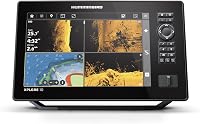
Humminbird XPLORE Series GPS Fish Finder MEGA: Best for a larger chartplotter display
- MEGA Side Imaging+ with 200-foot range on each side
- 10-inch touchscreen and keypad
- Built-in GPS and Humminbird Basemap
- Control head only, transducer not included
The 10-inch display and MEGA Side Imaging+ suit buyers who want broad side coverage and a larger screen. This is a control head only, so plan for a compatible transducer.
Pros
- MEGA Side Imaging+ reaches 200 ft on each side
- Touchscreen and keypad controls
- Built-in GPS and included US and Canada map card
Cons
- Transducer not included
- Larger display needs room at the helm
The XPLORE is the strongest match if you want a larger display and broad side coverage. Its MEGA Side Imaging+ range is 200 ft on each side, and the 10-inch interface supports both touchscreen and keypad operation.
It also includes built-in GPS, Humminbird Basemap coverage of more than 10,000 lakes and coastal waters, and a LakeMaster and CoastMaster VX map card for US and Canada regions. AutoChart Live can create maps of depth contours, bottom hardness and vegetation, with eight hours of built-in recording time.
This model is control head only, so the transducer is not included. Confirm the transducer you plan to use is compatible and allow for the display's size at the helm.
Choose XPLORE when its screen, stated side range and navigation features match your boat. If you want to compare more brands, see our guide to the best fish finders with side scan.
Humminbird Helix 7 G4 GPS Fish Finder: Best for side imaging with a transducer included
- MEGA Side Imaging and MEGA Down Imaging
- 125 ft coverage on each side
- 7-inch display
- Transducer included
This HELIX 7 pairs MEGA Side Imaging with an included transducer, reducing the number of separate parts to plan for. Its 7-inch screen is smaller than the XPLORE display.
Pros
- MEGA Side Imaging and Down Imaging
- Transducer included
- GPS, Humminbird Basemap and AutoChart Live
Cons
- 7-inch display is smaller than XPLORE
- Keypad controls instead of a touchscreen
The HELIX 7 G4 is a strong option if you want MEGA Side Imaging on a 7-inch display and prefer a transducer included. Its stated side coverage is 125 ft on each side, and it also offers MEGA Down Imaging beneath the boat.
The included XNT 9 HW MSI 150 T transducer makes this more complete as a package than a control head alone. The unit also has Dual Spectrum CHIRP sonar, internal GPS, Humminbird Basemap and AutoChart Live mapping.
Softkey controls operate the display. Choose the G4 if you want the included transducer and can work with a smaller screen than XPLORE; check the mounting space and transducer fit for your boat.
Humminbird Helix 7 G4N GPS Fish Finder: Best for GPS and networking without side imaging
- MEGA Down Imaging to 125 ft beneath the boat
- Control head only, transducer not included
- GPS and Humminbird Basemap
- Ethernet, Bluetooth and NMEA 2000 networking
The G4N provides GPS, networking and MEGA Down Imaging, but the supplied product information does not specify side imaging. Consider it when down imaging and connections matter more than a confirmed side scan.
Pros
- GPS and Humminbird Basemap
- Ethernet, Bluetooth and NMEA 2000
- AutoChart Live mapping
Cons
- Side imaging is not specified
- Transducer not included
The HELIX 7 G4N suits buyers who want a GPS fish finder with down imaging and network connections. Its stated sonar includes MEGA Down Imaging to 125 ft beneath the boat, but side imaging is not specified.
It includes Humminbird Basemap and AutoChart Live, along with Ethernet, Bluetooth and built-in NMEA 2000 networking. The G4N is a control head only, so a transducer is not included.
This pick ranks below the two side imaging models because it does not state side imaging coverage. Choose it for down imaging and its listed connections, not as a confirmed side imaging unit.
Humminbird PiranhaMAX 4 Fish Finder: Best for a compact down imaging display
- Down Imaging
- Dual Beam sonar with narrow and wide beams
- 4.3-inch color display
- Transom-mount transducer included
The PiranhaMAX 4 is a compact option for viewing below the boat with Down Imaging. It does not specify side imaging, so it is not a direct match if scanning to either side is your priority.
Pros
- Down Imaging for structure below the boat
- Narrow and wide Dual Beam sonar
- Transducer and tilt-swivel mount included
Cons
- No side imaging specified
- 4.3-inch display is smaller than the HELIX models
The PiranhaMAX 4 is a compact choice for Down Imaging on a 4.3-inch color display. It includes an XNT 9 DI T transom-mount transducer, a tilt and swivel mount, and Dual Beam sonar with narrow and wide beams.
Its stated sonar is for views below the boat, including structure such as timber, rocks and bridge pilings. Side imaging is not specified, so choose another model if scanning out to the sides is the main goal.
Fish ID+, fish alarms, depth alarms and zoom are included. Consider this model when you want a smaller display and down imaging rather than a GPS chartplotter with side imaging.
Humminbird PC-11 Power Cable for Side-Imaging Units: Best for a compatible replacement cable
- Filtered power cable
- Waterproof design
- 6 ft length
- Designed for marine use
The PC-11 is a replacement power cable for compatible Humminbird units, not a fish finder. Check your unit's series before choosing it.
Pros
- Filtered cable
- Waterproof design
- 6 ft length
Cons
- Accessory, not a display or sonar unit
- Compatibility is limited to specified series and models
The PC-11 is a power cable accessory, not a fish finder or transducer. It is a filtered, waterproof 6 ft cable designed for marine use.
Humminbird specifies it for all 800, 900 and 1100 Series products, as well as 797 and 798. Check that your unit is among those compatible models before replacing a cable.
This accessory appears here because it is named for side imaging units, but it does not add side imaging to a fish finder. Choose it only when you need a compatible replacement power cable.
What should you check before choosing a Humminbird side imaging unit?
Start with the model's stated imaging type and transducer arrangement. A name or series label alone does not tell you whether side imaging is included.
Match the side range to your scanning needs
The XPLORE specifies 200 ft on each side, and the HELIX 7 G4 specifies 125 ft on each side. Those are the two models here with side coverage stated, so begin with them if side imaging is a must.
Range is only one comparison point. The screen and controls matter at the helm, and your choice should also fit how you plan to mount and use the unit.
Check transducer inclusion and fit
The HELIX 7 G4 includes a transducer, while XPLORE and G4N are control head only. Make sure you account for a compatible transducer if it is not included.
Use the best Humminbird side imaging transducer guide to compare transducer options, then verify the model compatibility before buying. A cable accessory such as the PC-11 cannot replace a sonar transducer.
Choose a screen and feature set you can use
XPLORE has a 10-inch touchscreen and keypad; both HELIX options have 7-inch displays operated by softkeys. Consider your mounting space and whether you want touchscreen controls or buttons.
GPS and mapping features may also matter if you want charts or real-time mapping. XPLORE and HELIX 7 G4 include GPS and Humminbird Basemap, while PiranhaMAX 4 is a simpler Down Imaging unit with a 4.3-inch display.
Learn to read the sonar view
Side imaging takes practice to interpret, especially when separating fish marks from bottom structure. Our guide to what fish look like on side imaging explains the shadows and shapes to watch for.
A fish finder can help show underwater information, but reading those views and locating fish still depends on conditions and interpretation. See [Do Fish Finders Really Work?
What to Know](/do-fish-finders-really-work/) for a grounded look at what these devices can and cannot show.
Which Humminbird side imaging fish finder should you choose?
Choose XPLORE for the largest display and the greatest stated side range here, or the HELIX 7 G4 if you want a 7-inch screen with a transducer included. If you mainly need down imaging, the G4N or PiranhaMAX 4 may fit, but neither is a confirmed side imaging pick from the features described here.
Our top 3 picks at a glance
-
1
Best for a larger chartplotter display
Humminbird XPLORE Series GPS Fish Finder MEGA
9.5/10 our score
See it on Amazon -
2
Best for side imaging with a transducer included
Humminbird Helix 7 G4 GPS Fish Finder
9.3/10 our score
See it on Amazon -
3
Best for GPS and networking without side imaging
Humminbird Helix 7 G4N GPS Fish Finder
9.0/10 our score
See it on Amazon
Frequently asked questions
Which Humminbird fish finder has side imaging?
The XPLORE Series GPS Fish Finder MEGA specifies MEGA Side Imaging+ with a range of 200 ft on each side. The HELIX 7 G4 specifies MEGA Side Imaging with 125 ft on each side and includes a transducer.
Check whether the transducer is included before planning an installation.
Does the Humminbird HELIX 7 G4N have side imaging?
The G4N information here specifies MEGA Down Imaging, not side imaging. It is a control head only and does not include a transducer.
If side coverage is essential, compare models that explicitly name Side Imaging and verify transducer compatibility for your setup.
Do Humminbird side imaging units include a transducer?
It depends on the model. The HELIX 7 G4 includes an XNT 9 HW MSI 150 T transducer, while the XPLORE and HELIX 7 G4N descriptions say control head only and no transducer included.
Check the included components and choose a compatible transducer separately when needed.
What should I compare when choosing side imaging?
Compare the stated range on each side, screen size, included transducer and whether the unit also offers down imaging, GPS or mapping. A larger range does not by itself tell you how easy a display will be to read from your helm.
Match the model to your boat, mounting space and intended use.