Which Garmin ECHOMAP UHD2 Screen Size Should You Choose?
Choose the Garmin ECHOMAP UHD2 screen size that fits your viewing distance and console: pick the smaller screen for tight spaces, 7 inches for a balanced setup, or 9 inches when you have room for larger map and sonar views.
On this page (13 sections)
- Which Garmin ECHOMAP UHD2 screen size should you choose?
- Is a 6-inch Garmin ECHOMAP UHD2 right for your boat?
- Does the Garmin ECHOMAP UHD2 7 offer the best balance?
- When is the Garmin ECHOMAP UHD2 9 worth the extra space?
- What about the Garmin ECHOMAP UHD2 5?
- How should you compare the 6, 7 and 9 for split-screen use?
- How much installation space does each screen need?
- How does transducer choice affect screen-size planning?
- Can a Garmin ECHOMAP UHD2 93sv use LiveScope?
- How should you choose controls and viewing distance?
- Which screen size is easiest to install?
- What should you check before buying a Garmin ECHOMAP UHD2?
- Garmin ECHOMAP UHD2 6, 7 or 9: which should you buy?
The best Garmin ECHOMAP UHD2 screen size depends on your console space, viewing distance and preferred screen layout. Choose a 6-inch model for compact installations, a 7-inch model for a balanced setup, or a 9-inch model when you can use the extra viewing area.
A larger screen can make charts and sonar easier to read, but it also needs more mounting space. Measure the console, check the cable path and leave room to operate the controls before you choose.
This guide compares the Garmin ECHOMAP UHD2 6, 7 and 9 screen sizes, with a note on the Garmin ECHOMAP UHD2 5. For a wider model comparison, see our Garmin ECHOMAP models compared guide.
Which Garmin ECHOMAP UHD2 screen size should you choose?
Choose the 6-inch Garmin ECHOMAP UHD2 for tight consoles, the 7-inch model for all-around use, and the 9-inch model for larger boats or longer viewing distances.
| Screen size | Best fit | Main trade-off |
|---|---|---|
| 5 inches | Very limited console space | Smallest viewing area |
| 6 inches | Compact boats and close viewing | Less room for split-screen views |
| 7 inches | Balanced helm setups | Needs more console space than the smaller models |
| 9 inches | Larger consoles and farther viewing | Requires the most installation room |
The screen measurement does not describe the full unit size. The housing, mounting bracket, cables and control access all affect the space you need.
Your normal viewing distance matters too. A screen that looks comfortable from a seated position may feel small when you stand farther away or move around the boat.
Is a 6-inch Garmin ECHOMAP UHD2 right for your boat?
A 6-inch Garmin ECHOMAP UHD2 is the better choice when your console is narrow or your viewing distance is short. It keeps the display area compact and leaves more room for switches, gauges and other electronics.
The smaller screen can still support the core tasks you expect from a chartplotter and fish finder. The main compromise is that charts, sonar and menus have less room when you divide the display.
Choose the 6 when you usually look at one view at a time. It can also make sense when the display sits close to the helm and you do not need to read it from across the boat.
Before choosing, mark the planned unit footprint with tape. Include space for the mounting base and make sure the display will not interfere with steering, throttle movement or safety equipment.
A small display does not remove the need for a careful installation. You still need a clean cable route, a stable mounting point and access to the controls.
Does the Garmin ECHOMAP UHD2 7 offer the best balance?
The Garmin ECHOMAP UHD2 7 is the middle-ground choice for buyers who want more viewing room without using as much console space as a 9-inch unit. It suits many helm layouts where a compact screen feels cramped but a large display would crowd the panel.
The extra area helps when you compare chart detail with sonar information. It also gives menus and data fields more room, which may reduce the need to switch between pages.
The 7-inch size is a practical starting point when you are replacing an older unit and have moderate console space. Measure the old cutout or mounting area, but do not assume a new unit will use the same bracket or cable position.
Think about how you fish. If you move between chart, traditional sonar and imaging views often, the 7 may feel more comfortable than a smaller display.
Read our guide on how to use the Garmin ECHOMAP UHD2 after installation to learn how the main views, menus and settings fit into a normal trip.
When is the Garmin ECHOMAP UHD2 9 worth the extra space?
The Garmin ECHOMAP UHD2 9 makes the most sense when you sit farther from the display or want more room for charts, sonar and data at the same time. It is a console-first choice, so confirm the physical fit before focusing on the larger viewing area.
A 9-inch display can help when your helm has a wide, open panel. It may also suit anglers who want to inspect more detail without repeatedly changing pages.
The trade-off is installation space. The unit may compete with gauges, radios, switches or a second display, and the mounting position may need more planning.
Measure the width, height and depth available at the helm. Then check the display's control area and cable exit so the unit can be reached without stretching or turning away from the boat's controls.
If you are considering the 93sv version, read how to use a Garmin ECHOMAP UHD2 93sv for model-specific operating guidance. You can also compare the Garmin ECHOMAP UHD2 93sv transducer options before you finalize the installation.
What about the Garmin ECHOMAP UHD2 5?
The Garmin ECHOMAP UHD2 5 is the compact option for very limited consoles and short viewing distances. It may leave more room for existing controls, but its smaller viewing area gives you less space for split-screen layouts and detailed chart work.
Choose the 5 only after measuring the full helm area. A smaller screen does not guarantee a simple installation because the bracket, power cable and transducer cable still need a sensible route.
If you often fish while standing or read the display from several feet away, compare the 5 with the 6 or 7. The extra screen area may be more useful than the small amount of console space saved.
How should you compare the 6, 7 and 9 for split-screen use?
The 9-inch model gives you the most room for split-screen views, the 7-inch model balances split-screen use with installation size, and the 6-inch model favors compactness.
Split-screen layouts are useful when you want chart information and sonar information visible together. They also divide the available area, so a screen that seems large in a single view can feel tighter after you add a second panel.
Use this rule:
- Choose 6 inches if you normally use one view and need a compact helm.
- Choose 7 inches if you switch between views and want a flexible middle option.
- Choose 9 inches if split-screen readability matters and your console has room.
Your preferred sonar view also matters. Traditional sonar, mapping and imaging can show different amounts of information, so compare the screen from your usual seating or standing position.
For context on display construction and viewing factors, read what a fish finder screen is made of.
How much installation space does each screen need?
The required installation space includes more than the visible screen. Measure the mounting area, cable path, control clearance and nearby equipment before choosing a Garmin ECHOMAP UHD2 size.
Start with the available width and height on the console. Then check whether the display can tilt or rotate without striking a windshield, hatch, rail or steering wheel.
Leave room for the power and transducer cables to bend without sharp kinks. A clean route also makes future service easier.
Check the mounting surface for strength and access. A thin panel may need suitable backing, while a crowded panel may not leave room for nuts, bolts or a mounting plate.
A drill-down mount can help when you need flexible viewing angles, but it still needs a solid installation point. The RAM MOUNTS Fish Finder and GPS Mount has a medium arm, a 7.35-inch overall height and a drill-down base.
Its ball-and-socket design allows near-infinite adjustability, while the marine-grade aluminum construction is intended for marine use.
The compatibility information names Garmin ECHOMAP Plus models, not Garmin ECHOMAP UHD2 models. Treat that distinction as a reason to verify the exact mounting interface before using it with an UHD2 display.
How does transducer choice affect screen-size planning?
The screen size and transducer are separate choices, but both affect the installation. For another Garmin display, compare GPSMAP 943xsv transducer guide.
Choose the display for viewing and console fit, then choose a transducer that matches the fish finder system and mounting location.
A transom-mounted transducer needs space on the stern, a protected cable route and a mounting position that stays clear of turbulence. Plan the cable path before drilling or fastening the display.
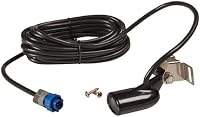
The Lowrance 000-0106-72 Transom-Mount Skimmer Transducer with Built-in has dual-frequency operation at 83/200 kHz, a stated maximum measuring depth of 1000 feet, a built-in temperature sensor, a 7-pin connector, a 20-foot cable and a transom mount.
This transducer is not a Garmin ECHOMAP UHD2 accessory based on the stated Lowrance connector and compatibility details. Do not choose it for an UHD2 installation unless the exact Garmin system and connection requirements confirm compatibility.
The Humminbird 710198-1 XNT 9 20 T is a transom single or dual-beam transducer with a built-in temperature sensor, a 20-foot cable and a stated maximum measuring depth of 600 feet. It includes mounting hardware and installation instructions.
Its compatibility information names Humminbird HELIX, Matrix, 3D, 100, 300, 500, 600, 700, 800, 900 and 1100 series models, with exclusions for certain DI models. It is not presented as a Garmin ECHOMAP UHD2 transducer, so verify compatibility before considering it for this guide's target system.
Can a Garmin ECHOMAP UHD2 93sv use LiveScope?
A Garmin ECHOMAP UHD2 93sv may be considered for LiveScope only after you confirm the exact model, network connection and transducer requirements. The 9-inch screen can make live sonar views easier to inspect, but screen size alone does not prove system compatibility.
Live sonar can display a large amount of changing information. A larger screen may help you watch the view while keeping other information available, but it also needs more helm space and a stable mount.
Check the exact Garmin model number and the LiveScope system you plan to use. Then plan the power, network and transducer cable routes before installing the display.
Our guide on whether the Garmin ECHOMAP UHD2 93sv can use LiveScope covers that compatibility question separately.
How should you choose controls and viewing distance?
Choose the screen size that lets you reach the controls without blocking your view of the water. A larger display is useful only when you can mount it where the controls remain easy to use.
Sit or stand at the helm in the position you use most. Estimate the distance to the display and check whether text and sonar detail are comfortable without leaning forward.
Consider glare and sun position too. A display that fits physically may still be hard to read if the mounting angle reflects light directly toward you.
Leave room for your hand around the controls. If a rail, windshield frame or switch panel crowds one side of the unit, a smaller screen may create a safer and more usable layout.
If you are comparing other brands, our Garmin STRIKER Vivid screen size guide and Lowrance HDS Pro screen size guide can help you compare the same size and installation questions across product lines.
Which screen size is easiest to install?
The easiest screen size to install is the one that fits your existing console without forcing new holes, blocked controls or difficult cable routing. Measure first, then choose the smallest display that gives you a comfortable view.
A 6-inch model usually gives you the most flexibility in a tight panel. A 7-inch model can work well when you have a clear center position.
A 9-inch model needs the most careful planning because it takes more space and may affect nearby equipment.
Check the mounting surface before you drill. Confirm the bracket position, cable access and angle of view with the display held in place.
If you are replacing an existing fish finder, photograph and measure the current installation. Note where the power and transducer cables enter the console, but do not assume the new unit will use the same connections.
Keep the transducer installation separate from the screen decision. The transducer must sit in a suitable location, while the display must remain visible and reachable at the helm.
What should you check before buying a Garmin ECHOMAP UHD2?
Check these points before choosing between the Garmin ECHOMAP UHD2 6, 7 and 9:
- Measure the open console area.
- Measure the route for power and transducer cables.
- Check the distance from your normal viewing position.
- Decide whether you will use one view or split-screen layouts.
- Leave room for nearby switches, gauges and steering controls.
- Confirm the exact model's sonar and mapping features.
- Check the compatible transducer and connection requirements.
- Plan a stable mounting surface.
- Confirm that the display angle will not create glare.
- Verify the exact bracket and hole pattern before drilling.
A larger screen cannot fix a poor mounting position. A smaller screen cannot provide the same viewing area, so your choice should follow the way you fish rather than the screen number alone.
Garmin ECHOMAP UHD2 6, 7 or 9: which should you buy?
Choose the Garmin ECHOMAP UHD2 6 when console space is limited, your viewing distance is short and you usually use one screen view at a time.
Choose the Garmin ECHOMAP UHD2 7 when you want a balanced display for charts, sonar and occasional split-screen use. It is the middle option for buyers who have moderate installation space.
Choose the Garmin ECHOMAP UHD2 9 when you have a wide console, a longer viewing distance or a strong need for larger split-screen views. Measure carefully because the extra display area requires more room.
The Garmin ECHOMAP UHD2 5 is the compact alternative for very tight installations, while the transducer and mount choices require separate compatibility checks. If you want a broader model comparison next, start with our Garmin ECHOMAP models compared guide.
Frequently asked questions
Which Garmin ECHOMAP UHD2 screen size is best for a small boat?
A 6-inch Garmin ECHOMAP UHD2 can suit a small boat when console space and viewing distance are limited. Measure the available mounting area first, including the bracket, cable route and space needed to reach the controls.
Choose a larger screen only if the console can hold it without blocking other equipment.
Is the Garmin ECHOMAP UHD2 7 better than the 6?
The Garmin ECHOMAP UHD2 7 gives you more viewing area than the 6 while remaining easier to fit than a 9-inch unit. Choose it when you want clearer split-screen sonar and chart views but have limited console space.
The best choice depends on distance from the helm and available mounting room.
Should I choose the Garmin ECHOMAP UHD2 9 for a center console?
Choose the Garmin ECHOMAP UHD2 9 when you have enough console width, viewing distance and mounting depth for a larger display. It can make charts, sonar and split-screen layouts easier to read from farther away.
Measure the full installation area before assuming the 9-inch screen will fit.
What about the Garmin ECHOMAP UHD2 5?
The Garmin ECHOMAP UHD2 5 is worth considering when your boat has a very small console or when you want to keep more space for switches and other electronics. Compare the exact model's screen, controls, mounting space and sonar features before choosing it over the 6, 7 or 9.
Do I need a larger screen for Garmin LiveScope?
A larger screen can make LiveScope views easier to inspect, especially when you want sonar and chart information visible together. Screen size does not by itself confirm compatibility.
Check the exact ECHOMAP UHD2 model and LiveScope connection requirements before planning the installation.