How Do You Adjust Sensitivity on a Sonar?
On this page (7 sections)
Yes, you can adjust the sensitivity on your sonar to get better readings. Lowering sensitivity helps you see larger fish or structure. Increasing sensitivity shows you smaller details and shallower water. It’s all about finding the right balance for your fishing conditions.
Understanding sonar sensitivity is key to a successful fishing trip. It controls how much information your fish finder displays. Many anglers find that adjusting this setting can make a big difference. It helps you cut through noise and see what’s really there.
- Adjust sonar sensitivity to improve readings.
- Lower it for big targets, higher for small details.
- Balance sensitivity with water depth and conditions.
- Experimentation is key to finding the best setting.
Let’s walk through exactly how to adjust your sonar’s sensitivity step by step.
Understanding Your Sonar’s Sensitivity Settings
Adjusting your sonar’s sensitivity is like tuning a radio. You want to find the clearest signal. It helps you see fish and structure more clearly. It’s one of the most important settings you can control. If you’re interested in different types of sonar, learn how castable fish finders work.
Think of sensitivity as your sonar’s attention span. High sensitivity means it pays attention to everything. This includes tiny baitfish and even debris. Low sensitivity means it focuses on bigger things. It filters out the smaller signals. Finding the right level improves your fishing.
How Sensitivity Affects Sonar Readings
Sensitivity directly impacts what your sonar screen shows. It controls how the sonar unit interprets returning signals. These signals bounce off objects underwater. The stronger the signal, the more likely it is to be displayed. Sensitivity tells the unit how much effort to put into showing these signals.
Higher Sensitivity: Seeing More Detail
When you turn up the sensitivity, your sonar becomes more eager to display signals. It picks up fainter echoes. This can reveal smaller fish or delicate structures like weed lines. You might also see more detail in the water column itself. This can be helpful when searching for baitfish schools.
However, too much sensitivity can cause problems. The screen can become cluttered. You’ll see lots of “noise” from plankton, suspended particles, or even your boat’s wake. This makes it harder to identify real targets. It’s like trying to hear a whisper in a loud concert hall. You might miss what you’re actually looking for.
Lower Sensitivity: Focusing on Big Targets
Reducing sensitivity makes your sonar less eager. It filters out weaker signals. This is useful when you want to ignore small baitfish. You can focus on larger game fish or prominent underwater features. It can also help clean up a noisy screen. You get a clearer picture of what matters most.
The downside is that you might miss smaller fish. You could also overlook subtle structures. If you’re not careful, you might ignore a school of baitfish that a big predator is feeding on. It’s a trade-off between detail and clarity.
When to Adjust Sonar Sensitivity
You should consider adjusting your sonar’s sensitivity often. Different fishing situations call for different settings. Water clarity, depth, and what you’re targeting all play a role.
Adjusting for Water Depth
Depth is a major factor in setting sensitivity. In shallow water, signals return very quickly. Your sonar might pick up a lot of “bottom clutter.” Lowering sensitivity can help clear this up. It prevents the screen from being overwhelmed. It makes the bottom definition sharper.
In deep water, signals weaken as they travel. You often need higher sensitivity to pick up echoes from the bottom or fish. The deeper you go, the more power your sonar needs to “see.” However, even in deep water, excessive sensitivity can still create noise. You must balance it carefully. Many guidelines suggest starting with a moderate setting and adjusting from there (Navico technical documentation).
Adjusting for Water Conditions and Clarity
Murky or dirty water has more suspended particles. These particles can return echoes to your sonar. This creates false signals or “noise.” In these conditions, you might need to lower your sensitivity. This helps filter out the particles. It makes it easier to see actual fish or structure. Clear water generally allows for higher sensitivity settings.
Adjusting Based on Target Species
Are you looking for a monster catfish or a school of small crappie? Your target species will influence your sensitivity choice. If you’re after large fish, a lower sensitivity might be fine. It helps ignore smaller distractions. If you’re targeting smaller fish or following bait balls, you’ll likely need higher sensitivity. You need to see those smaller signals.
How to Adjust Sensitivity on Your Sonar Unit
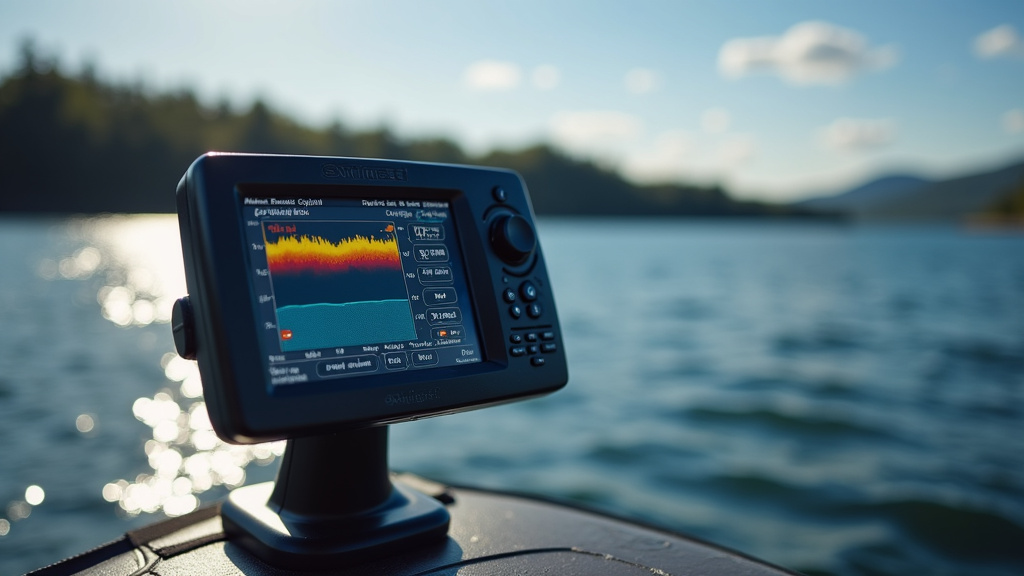
The exact steps for adjusting sensitivity vary by brand and model. However, the general process is quite similar. You’ll usually find the setting in the sonar or ‘gain’ menu.
Locating the Sensitivity Setting
Most fish finders have a dedicated menu for sensitivity. This is often labeled “Sensitivity,” “Gain,” or “Chirp.” You can usually access this through the main menu button. Look for options related to your sonar view or display settings. Consulting your unit’s manual is always a good idea if you’re unsure.
Manual vs. Auto Sensitivity
Many sonar units offer both manual and automatic sensitivity settings. Automatic mode tries to find the best setting for you. It adjusts sensitivity based on current conditions. While convenient, auto mode doesn’t always provide the best results. It can sometimes over-adjust or under-adjust.
Manual control gives you more power. You can fine-tune the setting to your exact needs. We found that most experienced anglers prefer manual control. It lets them really dial in the performance. If you’re new to this, start with auto. Then, try switching to manual to see the difference.
Making the Adjustments: A Step-by-Step Approach
Once you’ve found the sensitivity menu, you’ll typically use arrow buttons or a dial to increase or decrease the setting. Start with a moderate setting. Observe the screen. If it’s too cluttered with noise, slowly lower the sensitivity. If you feel you’re missing details or fish, slowly increase it.
It’s a process of trial and error. A good rule of thumb is to increase sensitivity until you start seeing a lot of random noise. Then, back it off slightly until the noise mostly disappears. This often leaves you with a clear view of fish and structure.
Understanding the Gain Control
Sensitivity is often referred to as “gain.” Gain amplifies the returning sonar signals. Higher gain means weaker signals are amplified more. Lower gain means only stronger signals are displayed. It’s important to understand that while related, gain and sensitivity might have slightly different impacts depending on your unit.
| Feature | Auto Sensitivity | Manual Sensitivity |
|---|---|---|
| Ease of Use | Very easy, no adjustment needed | Requires user input and adjustments |
| Performance | Good for general use, can be inconsistent | Potentially better performance with fine-tuning |
| Control | Limited user control | Full user control over signal interpretation |
| Best For | Beginners or quick fishing trips | Experienced anglers seeking optimal detail |
Tips for Optimizing Sonar Sensitivity
Getting the most out of your sonar’s sensitivity takes practice. Here are a few tips to help you achieve better results.
- Start in clear water: If possible, practice adjusting sensitivity in clear, calm water. It’s easier to see the effects of your changes.
- Observe your screen: Pay close attention to the changes on your sonar screen as you adjust. Look for fish arches, structure definition, and any increase in noise.
- Test in different depths: Try adjusting sensitivity at various depths. What works in 10 feet might not work in 50 feet.
- Understand your sonar’s limitations: No sonar unit is perfect. Even with perfect settings, there will be limits to what it can show you.
A Checklist for Finding Your Ideal Setting
Here’s a quick way to approach finding your sweet spot:
- Start with your sonar on automatic sensitivity.
- Switch to manual sensitivity.
- Set sensitivity to a moderate level.
- Slowly increase sensitivity until noise appears.
- Back off sensitivity until noise mostly disappears.
- Fine-tune based on what you see and what you’re fishing for.
Conclusion
You’ve learned that adjusting your sonar’s sensitivity is a powerful way to improve your fishing success. It’s not just a setting; it’s your tool for seeing clearly underwater. Remember that lower sensitivity highlights bigger targets and reduces clutter, while higher sensitivity reveals finer details. Finding the sweet spot often involves some experimentation, especially when dealing with different water depths and conditions.
The next time you’re on the water, make it a point to try manual sensitivity. Start with a moderate setting and adjust slowly until the noise clears up, but you still see your targets. This simple adjustment can make a noticeable difference in what you find.
Frequently Asked Questions
How do I know if my sonar sensitivity is too high?
If your sonar screen looks fuzzy or shows a lot of random specks and lines, especially in clear water, your sensitivity is likely too high. This “noise” can make it hard to spot actual fish or structure, so you’ll want to dial it back slightly.
When should I use automatic sensitivity instead of manual?
Automatic sensitivity is a good starting point if you’re new to adjusting settings or if you’re fishing in constantly changing conditions. It can provide decent results quickly, but for optimal performance and to really understand your sonar, manual control is usually best.
Does water temperature affect sonar sensitivity settings?
While water temperature itself doesn’t directly change how you adjust sensitivity, it can influence water clarity and the behavior of fish. In some cases, changes in water density due to temperature might slightly alter how sound waves travel, so observing your screen is always key.
Can I adjust sensitivity for different types of fish?
Yes, you can. If you’re targeting large, solitary fish like catfish, you might use lower sensitivity to filter out smaller baitfish. If you’re looking for schools of smaller fish, like crappie or bait balls, you’ll want higher sensitivity to pick up those fainter signals.
How much does sensitivity vary between different sonar brands?
The general concept of sensitivity is the same across brands, but the way it’s labeled and adjusted can differ. Some units use “Gain” instead of “Sensitivity,” and the range of adjustments might vary. Always refer to your specific unit’s manual for precise instructions.


![INNOSURE [2-PACK] Tempered Glass Screen Protector](https://m.media-amazon.com/images/I/81Xmi5hj1dL._AC_SL200_.jpg)