Which Humminbird HELIX 7 Sonar Type Do You Need?
Choose a Humminbird HELIX 7 sonar type based on where you want to look: traditional CHIRP for below the boat, Down Imaging for detail beneath it, Side Imaging to scan both sides, and MEGA for higher-frequency imaging. Add GPS or networking only when those functions fit your fishing setup.
On this page (7 sections)
- Which Humminbird HELIX 7 CHIRP sonar type fits your fishing?
- What do Down Imaging and Side Imaging show?
- What does MEGA add to a HELIX 7?
- Do you need GPS or networking?
- How should you compare HELIX 7 model names?
- Which HELIX 7 setup should you choose?
- What should you check before buying a Humminbird HELIX 7 CHIRP?
The Humminbird HELIX 7 CHIRP model you need depends on where you want sonar coverage: traditional CHIRP reads below the boat, Down Imaging gives a view beneath it, and Side Imaging scans to either side. MEGA is an imaging option, while GPS and networking features depend on the specific model and generation.
Start with your fishing style and the views you will use. Then verify the full model name and included transducer, because similar HELIX 7 names can describe different sonar and networking combinations.
Which Humminbird HELIX 7 CHIRP sonar type fits your fishing?
Choose traditional CHIRP for a straightforward view beneath the boat. Choose Down Imaging when you want a more image-like view below, or Side Imaging when you want to scan structure to both sides.
CHIRP sends a sweep across a range of frequencies, which can help separate fish targets and produce clearer arches. For a simple explanation of how CHIRP sonar works, see our dedicated guide.
Traditional sonar is a practical starting point for anglers who mainly want to track depth, fish and bottom activity under the boat. If you fish vertically or focus on a small area, this view may be enough.
Down Imaging adds a narrow view of the water and structure beneath the boat. Side Imaging looks outward to the left and right, which can help you search a wider area before circling back to a promising spot.
Read our guide to what CHIRP sonar is if you want to understand the term before comparing models.
What do Down Imaging and Side Imaging show?
Down Imaging focuses on the area below the transducer, while Side Imaging scans outward on both sides. Neither replaces traditional sonar for every task, so consider which view matches where you fish and how you search.
Down Imaging can help distinguish bottom features and objects beneath the boat. Its view is useful when you want to inspect a specific area below your position.
Side Imaging helps cover more water to each side, which is useful when looking for submerged structure away from the boat's path. You still need to interpret the screen and may need to revisit a spot from another angle.
Some HELIX 7 model names include DI for Down Imaging or SI for Side Imaging. Check the exact transducer and included functions for the specific generation before assuming a model name guarantees a particular view.
What does MEGA add to a HELIX 7?
MEGA identifies a high-frequency imaging option in certain HELIX 7 configurations. Compare the specific model's sonar and transducer details to confirm which imaging views it supports.
Searches for “Humminbird HELIX 7 CHIRP MEGA DI GPS G4N” or “HELIX 7 CHIRP MSI GPS G4” point to distinct combinations of imaging and navigation features. The letters and generation suffix matter, so match the full model name to your intended use.
If you want imaging beneath the boat, look for a DI configuration. If you want imaging to the sides as well, look for an SI or MSI configuration and verify that the transducer supports those views.
For a closer look at a particular generation, see Humminbird HELIX 7 G4 features.
Do you need GPS or networking?
GPS helps when you want navigation and location marking; networking matters when you need compatible devices to share information. Decide whether you will use those functions before paying for a model that includes them.
A model name containing GPS signals that navigation features are part of that configuration, but check the exact model's functions. “G4N” denotes a networking variant in certain HELIX 7 names, but verify which devices and data it supports before planning a connected setup.
If you only need sonar at one station, networking may not add value to your use. If you plan to share data between compatible equipment, confirm the connection requirements for each device.
The Humminbird XPLORE vs APEX comparison can help if you are weighing different Humminbird families for a broader electronics setup.
How should you compare HELIX 7 model names?
Read each model name as a set of clues, then confirm the actual included sonar and transducer. Focus on CHIRP, DI or SI, MEGA, GPS and the generation or networking suffix.
| Model name clue | What to check |
|---|---|
| CHIRP | Traditional sonar frequency range and included transducer |
| DI | Down Imaging support |
| SI or MSI | Side Imaging support and transducer compatibility |
| MEGA | Which high-frequency imaging views the model includes |
| GPS | Navigation and location functions |
| G4 or G4N | Generation and whether the model includes networking |
Use the exact part number when comparing retailers or replacement transducers. A similar name can hide a meaningful difference in sonar views or included accessories.
If a transducer needs replacement, compare your model against our guide to the best transducer for Humminbird HELIX 7. For setup details, follow the Humminbird #411620 installation guide.
Which HELIX 7 setup should you choose?
Pick traditional CHIRP for basic sonar below the boat, DI for a clearer view underneath, and SI or MSI when side scanning matters. Add GPS for navigation and a networking variant only if compatible equipment will use the connection.
A simple fishing setup may not need every sonar view. Choose the model around the screen information you will use most, then confirm what comes in the box.
What should you mount the HELIX 7 on?
A stable, adjustable mount helps position the display where you can see and reach it. For a paddlesport unit, compare the HawkEye FishTrax 1C kit.
See fish finder mounts for kayaks for options suited to a kayak setup.
The RAM MOUNTS Heavy-Duty Fish Finder Mount uses a drill-down base and ball-and-socket arm for compatible HELIX 7 units.
Is a simpler CHIRP fish finder a useful comparison?
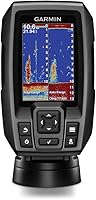
A basic CHIRP model can help you decide whether you need added imaging or networking. The Garmin Striker 4 includes CHIRP sonar and a waypoint map, with a 3.5-inch display.
Could a replacement transducer fit?
Check compatibility against the exact HELIX 7 version before choosing a transducer. The Humminbird XNT 9 20 T is compatible with HELIX series units except non-CHIRP DI models, up to the transducer's maximum capability.
For another generation, compare Humminbird HELIX 5 transducer options.
What should you check before buying a Humminbird HELIX 7 CHIRP?
Confirm the complete model, included transducer, sonar views, GPS functions and networking needs before ordering. Those details determine whether the unit matches the way you fish and the equipment you already own.
If you are comparing brands, see best Lowrance fish finders.
- Match the full model number, including generation and suffix.
- Verify whether the unit includes traditional CHIRP, DI, SI or MEGA imaging.
- Confirm the transducer supports the views you plan to use.
- Check whether GPS is included and whether it covers your navigation needs.
- Confirm networking compatibility if you plan to share data with other equipment.
- Review installation requirements and mounting space before choosing a location.
For display positioning, consider the best Lowrance Elite FS 9 mount options as another example of how to plan a fish-finder mount around your boat.
Choose the HELIX 7 with the sonar view you will use most: traditional CHIRP for below the boat, DI for detail beneath you, and SI or MSI for side scanning. Add GPS for navigation, and choose networking only when your compatible setup calls for it.
For larger-screen operation ideas, read how to use a Humminbird HELIX 9.
![[FishPRO® 2026 Upgrade] NO.1 HD 1080P Underwater](https://m.media-amazon.com/images/I/81uKVIzYEEL._AC_SL200_.jpg)