What Do You Need to Run Garmin LiveScope XR?
A Garmin LiveScope XR setup needs a compatible Garmin display, the required sonar hardware, a compatible transducer, power, networking, and the right mounts or cables. Check each component's compatibility before mixing XR parts with older LiveScope equipment.
On this page (10 sections)
- What hardware does Garmin LiveScope XR need?
- Which Garmin display works with LiveScope XR?
- What does the sonar module do?
- Do you need a special LiveScope XR transducer?
- What power does a Garmin LiveScope XR system need?
- Do you need extra cable length?
- How should you plan the mounts and cable route?
- Does LiveScope XR need a software update?
- Can older LiveScope parts work with the new system?
- What is the simplest way to build a Garmin LiveScope XR system?
A Garmin LiveScope XR setup needs a compatible Garmin display, XR sonar hardware, the correct transducer, power, networking, and secure mounting. The parts must work together, so check the current Garmin compatibility information before combining XR hardware with an older LiveScope system.
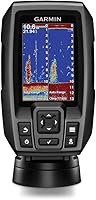
The display is where you view sonar returns and change settings. The sonar hardware processes the signal, while the transducer sends and receives it in the water.
Power, cables, and mounts complete the system.
What hardware does Garmin LiveScope XR need?
A working Garmin LiveScope XR system needs four core hardware groups: a compatible display, the XR sonar module, the XR transducer, and the cables and power needed to connect them.
The display must support the LiveScope XR system. Garmin ECHOMAP and GPSMAP families include different models and feature sets, so do not assume that every Garmin screen works with every LiveScope product.
The sonar module sits between the display and transducer in the system. It handles the sonar processing before the image reaches the display.
The XR transducer is the part mounted in the water, on a trolling motor, or on another supported structure.
Your final installation also needs a power source, network connection where required, and mounts that hold the transducer in the intended position. A system can have the right main parts and still be difficult to use if the cable path or mounting location is wrong.
Which Garmin display works with LiveScope XR?
Choose a Garmin display that Garmin identifies as compatible with LiveScope XR. Screen size, connectors, software support, and available mounting space all matter when you select the display.
Do not choose by screen size alone. A larger display may be easier to read, but compatibility comes first.
Your display also needs a practical location where you can see it while fishing and reach the controls without leaving your position.
Garmin ECHOMAP Ultra 2 bundles show how a display and sonar package can be planned together. Our guide to Garmin ECHOMAP Ultra 2 bundles can help you compare the screen and sonar parts before you build a system from separate components.
Older Garmin displays may support some LiveScope products but not every newer system. If you already own a Garmin screen, check its exact model and software support before buying an XR transducer or module.
What does the sonar module do?
The sonar module processes the transducer signal and passes the imaging data to the display. It is a required part of many LiveScope systems and needs a suitable power and network connection.
The module should be installed where it stays dry, remains accessible, and has enough room for its cables. Avoid placing it where the cable bends sharply or where routine battery checks could pull on the connectors.
A module and transducer are not interchangeable parts. The connector, software support, and system generation all affect compatibility.
This is why an older black box or transducer should not be assumed to work with XR simply because it carries the LiveScope name.
The Garmin LiveScope Plus System with GLS 10 includes the GLS 10, an LVS34 transducer, a trolling motor barrel mount, a shaft mount, a perspective mount bracket, a power cable, a network cable, a network adapter cable, and documentation. It is suited to readers who want a defined LiveScope Plus hardware package and already have a compatible Garmin ECHOMAP or GPSMAP display.
This system supports Forward, Down, and Perspective modes, with the required mounts included in the box. Its listed display size is 10.1 inches, but that refers to the product data rather than a separate display supplied with this package, so you still need to confirm your own compatible screen.
Do you need a special LiveScope XR transducer?
Yes, the transducer must match the LiveScope system you are building. The transducer determines how sonar data is collected and how it can be mounted and aimed in the water.
Mounting changes how useful the image is. A forward-facing setup helps you scan ahead, while a downward view helps you examine the water below the boat.
Follow the transducer and mount instructions so the unit stays stable while the boat moves.
Keep the transducer cable away from sharp edges, pinch points, hot surfaces, and moving trolling-motor parts. Leave enough slack for the motor or mount to move through its normal range, but avoid loose loops that can catch during use.
The Garmin LiveScope Plus Lithium-ion Ice Fishing Bundle includes an ECHOMAP UHD2 93sv touchscreen combo, an LVS34-IF transducer, a GLS10 sonar module, an ice fishing pole mount, a tilt mount, a power cable, a portable fishing bag, a lithium-ion battery, a charger, and documentation. It suits ice anglers who want the screen, sonar hardware, pole mount, and portable power arranged as one bundle.
The bundle's maximum measuring depth is 200 feet, and its listed display size is 9 inches. The transducer cable is described as flexible in freezing conditions, while the included bag and battery support a portable setup.
What power does a Garmin LiveScope XR system need?
LiveScope needs a suitable power source for the display and sonar hardware. Your battery plan should account for every connected device, not only the transducer.
Use the voltage and current requirements in the manuals for your exact XR components. Route power cables so they stay protected, dry where possible, and separate from places where tackle or passengers can snag them.
A portable ice-fishing system has different power needs from a permanent boat installation. Portable users may value a battery and charger included in one package.
Boat owners may instead plan the display, sonar module, battery connections, and cable runs as part of the full electrical layout.
The lithium-ion ice fishing bundle includes a battery and charger, but that does not make it an XR system. Its components are described as a LiveScope Plus package, so check the system generation before treating it as an alternative to XR hardware.
Do you need extra cable length?
You need enough cable length to reach between the transducer, sonar hardware, display, and power connections without tension. If the supplied cable cannot reach safely, use an extension made for the exact compatible equipment.
The Garmin Panoptix LiveScope Transducer Extension Cable 21-Pin is a black, male-to-male cable with 21 pins. It is intended to extend compatible Panoptix LiveScope transducers, including systems using the GLS 10 sonar module, Panoptix LiveScope System, Panoptix LVS32 transducer, and Panoptix LVS32-TH transducer.
This cable is 10 ft (3 m) long and uses XLR connectors. Its stated maximum voltage is 24 volts of direct current.
Check the connector and system compatibility before adding it to an XR installation, because a cable made for earlier Panoptix components is not automatically an XR cable.
Avoid forcing a connector, stretching the cable across a walkway, or making a tight bend near the plug. Secure the cable with a route that leaves the connection protected from strain.
How should you plan the mounts and cable route?
Plan the transducer position, display position, sonar-module location, power source, and cable route together before bolting anything down. This prevents a reachable screen from being paired with an awkward transducer angle or a cable that is too short.
The transducer mount should hold the unit steady and allow the viewing direction you need. The display mount should keep the screen visible while leaving room to operate it.
The sonar module needs protection and enough access to inspect the connections.
For a boat, keep cables clear of the trolling motor's moving parts and the areas where rods, anchors, or passengers may catch them. For ice fishing, keep the portable setup compact and protect the cable from sharp ice edges and foot traffic.
After installation, power the system on before heading out. Confirm that the display recognizes the sonar hardware, the transducer responds, and the selected viewing mode matches the direction in which the transducer is aimed.
Does LiveScope XR need a software update?
Check the software on the display and sonar hardware before using the system. Updates can affect compatibility and available functions, so follow Garmin's instructions for the exact devices in your setup.
Use Garmin's official support instructions and record the model numbers before starting. Keep the system powered during the update and do not disconnect the network or power cables while the process is running.
Our guide to how to update Garmin LiveScope covers the update planning steps. If you are combining newer and older components, update compatibility is one of the checks to complete before installation.
Can older LiveScope parts work with the new system?
Older parts may work only when Garmin identifies them as compatible with the specific system. The LiveScope Plus System with GLS 10, for example, is built around the GLS 10 and LVS34, while the extension cable above is identified for Panoptix systems using LVS32-family transducers.
Do not judge compatibility from the brand name alone. Compare the exact model numbers, connectors, required display support, power requirements, and software instructions for every part.
If you are considering LiveScope Plus instead of XR, read which Garmin ECHOMAP units work with LiveScope Plus and what you need for a Garmin LiveScope Plus system before choosing a display or transducer.
What is the simplest way to build a Garmin LiveScope XR system?
Start with the compatible Garmin display and XR transducer, then add the required sonar module, power connections, network cables, and mounts. Confirm every model number before ordering extensions or trying to reuse older LiveScope equipment.
Choose the Garmin LiveScope Plus System with GLS 10 if you want a defined Plus package with GLS 10, LVS34, mounts, and cables. Choose the lithium-ion ice fishing bundle if you need a portable 9 inch ECHOMAP setup with an ice pole mount, battery, and charger.
Use the 21-pin extension cable only when its connector and listed Panoptix compatibility match your existing hardware. For XR, rely on Garmin's current compatibility documentation for the exact transducer and cable requirements, then test the connections at home before your next trip.
Frequently asked questions
What do you need to run Garmin LiveScope XR?
You need a compatible Garmin display, the XR sonar hardware and transducer, a suitable power source, the required network connections, and mounts or cables for your boat. Confirm compatibility for every part before buying because an older LiveScope system may not use the same transducer, module, or cable arrangement as XR.
Can you run Garmin LiveScope without a display?
No. Live sonar needs a compatible Garmin display to show the sonar image and let you select available viewing modes and settings.
A transducer and sonar module alone do not give you a usable screen, so plan the display, power, network, and mounting locations together.
Does Garmin LiveScope need its own battery?
LiveScope needs a suitable electrical power source, but the exact battery arrangement depends on the boat, display, sonar hardware, and installation. Check the required voltage and current in the manuals for your specific system, then protect cables and connections from water and accidental unplugging.
Do you need a mount for Garmin LiveScope XR?
Yes, the transducer needs a secure mount that holds its position in the water and supports the viewing direction you want. The display and sonar module also need stable locations, with enough room for power and network cables.
Use mounts intended for your transducer and fishing setup.