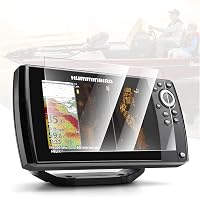
How to Read a Humminbird Fish Finder
Read a Humminbird fish finder by following the bottom contour first, then compare return shapes, colors, depth, and movement. Fish usually appear as arches or separate marks above the bottom, while heavy clutter often follows the bottom line.
On this page (10 sections)
- What does a Humminbird sonar screen show?
- How do you identify the bottom return?
- What do fish arches look like?
- How can you separate fish from structure and weeds?
- Which settings affect what you see?
- Does a screen protector affect sonar readings?
- How should you read MEGA Imaging and Down Imaging?
- What should you do when the screen looks wrong?
- Which screen protectors fit other large displays?
- How do you practice reading a Humminbird fish finder?
How to read a Humminbird fish finder starts with the bottom line, the depth scale, and the return shapes above the bottom. Fish often show as arches or distinct marks, while submerged cover, weeds, and bait may create larger shapes or dense clouds.
The screen is a record of sonar returns over time. The newest information appears at the right side of a traditional scrolling view, while older returns move toward the left.
Before changing settings, learn the basic controls in how to use a Humminbird Helix 7. Different Humminbird families use different menus, but the main reading ideas stay similar.
What does a Humminbird sonar screen show?
A Humminbird sonar screen shows depth from top to bottom and time from right to left in a traditional 2D view. The horizontal position does not show a map location by itself.
It shows when the sonar signal returned.
The bottom is usually the strongest continuous line near the lower part of the display. Its position changes as the depth changes, creating a contour that helps you understand the lake floor.
The color palette depends on the selected display. Bright or dark colors generally show stronger returns, but color alone cannot identify a fish.
Use color with shape, position, depth, and movement.
If the screen is hard to see in sunlight, physical screen protection can help reduce glare and scratches.
This Vivelancia protector is designed for Garmin EchoMAP Ultra 122SV, 125SV, 126SV, and EchoMAP Ultra 2 122SV displays. It is not a Humminbird Helix accessory, so match the device family and screen size before choosing it.
How do you identify the bottom return?
Find the continuous line that follows the depth reading. A hard bottom often creates a thicker, brighter return, while a softer bottom may appear thinner or less defined.
A second line below the main bottom return can be a second echo. This can happen when the first signal reflects again, especially over a hard or highly reflective floor.
Look for changes in the bottom shape. A sharp rise may indicate a hump, ledge, or shallow shelf.
A sharp drop can show a channel edge or deeper hole.
Bottom hardness and depth are useful clues, but they do not prove that fish are present. Fish may hold above a clean bottom, beside a break, or near cover that creates a more complex return.
What do fish arches look like?
Fish arches usually appear when a fish passes through the sonar cone. A complete arch is more likely when the fish moves through the center of the cone, while a partial arch can occur near the edge.
An arch begins when the fish enters the cone, becomes strongest near the center, and fades as it leaves. Boat speed, fish movement, scroll speed, and transducer position all affect the shape.
A fish suspended above the bottom is easier to separate from the bottom line. A fish close to the floor may appear as a short mark connected to or hidden within the bottom return.
Do not treat every curved mark as a fish. Trees, rocks, weeds, and sonar interference can produce shapes that resemble arches.
For a model-specific walkthrough, compare this explanation with how to read a Humminbird Helix 7.
How can you separate fish from structure and weeds?
Fish tend to appear as separate marks or arches, while structure often forms a connected shape that reaches toward the bottom. Weeds can create vertical lines, fuzzy columns, or irregular bands that rise from the floor.
A tree may look like a large mass with branches or gaps. A rock pile often appears as a rough, uneven rise above the bottom.
A clean fish arch usually has more separation from the surrounding return.
Baitfish may appear as a cloud instead of individual targets. Predators can show as larger marks around or below that cloud, but the screen cannot confirm species or feeding behavior on its own.
Watch how the image changes as your boat moves. A real feature should develop across several seconds of screen history.
Random electrical noise may appear as repeating lines, scattered dots, or patterns that do not match the bottom.
Which settings affect what you see?
Sensitivity controls how much of the returning signal appears on screen. Too little sensitivity can hide weak targets.
Too much can fill the display with clutter.
Start with automatic sensitivity if you are learning the unit. If the screen looks empty but the bottom is clear, increase sensitivity in small steps.
If the entire water column is crowded with noise, reduce it slightly.
Surface clutter appears near the top of the screen and can come from waves, bubbles, or interference. Lowering surface clutter can make the upper water column easier to read, but aggressive filtering may hide shallow targets.
The depth range determines how much water appears on the screen. A shallow range gives more detail near the boat, while a deeper range can show the full water column when you are searching deeper water.
For a closer explanation of this control, read What Is Sonar Sensitivity on a Fish Finder?.
Does a screen protector affect sonar readings?
A screen protector does not change the sonar signal, but glare, fingerprints, and scratches can make returns harder to inspect. Choose one made for your exact display rather than relying on screen size alone.
The Karltys protector suits owners of the listed Humminbird Helix 7 GPS generations. It has an anti-glare, anti-fingerprint finish and is made from tempered glass, but its compatibility is limited to those 7 in Helix screens.
Clean the display before installation and align the glass carefully. Dust beneath a protector can create a distracting spot even when the sonar unit itself is working correctly.
How should you read MEGA Imaging and Down Imaging?
Use imaging views to study structure and objects, then use 2D sonar to judge arches and depth more easily. Imaging screens often show sharper shapes and wider scene detail, but their appearance differs from traditional scrolling sonar.
Down Imaging looks below the boat and can show a clearer outline of cover, bottom changes, and individual objects. Side Imaging shows areas to the left and right, so a strong return may be beside the boat rather than directly underneath it.
MEGA Imaging uses a higher-frequency view on compatible equipment. It can show detailed structure, but the useful range and appearance depend on the unit, transducer, depth, water conditions, and settings.
If you use a live view, how to use Humminbird MEGA Live 2 explains how the forward-looking image differs from a scrolling history. For rotating coverage around the boat, see how to use Humminbird MEGA 360.
What should you do when the screen looks wrong?
Check the transducer, power supply, range, and interference before assuming the fish finder is defective. A loose transducer, poor mounting angle, or unstable power connection can create weak or inconsistent returns.
Confirm that the depth reading is plausible and that the bottom line is continuous. If the bottom disappears at speed, the transducer may be losing clean contact with the water.
Keep the transducer face clean and check for damage. Review the unit's installation instructions before changing its mounting position.
Software can also affect menus and behavior. Follow Humminbird's instructions for a Humminbird fish finder software update when your model supports one.
Which screen protectors fit other large displays?
The correct protector must match the device family, model range, and screen size. A protector for a Garmin EchoMAP display should not be treated as a Humminbird accessory simply because both units are used for sonar.
The INNOSURE set includes 2 tempered-glass protectors and installation kits for the listed 10 in Garmin EchoMAP models. Its HD clear finish and oleophobic coating are suited to readers who want a spare protector for that exact display family.
For larger Garmin screens, compare the humminbird solix 12 update only if you own a SOLIX 12 and need software instructions. For XPLORE owners, use humminbird xplore 12 software update instead.
How do you practice reading a Humminbird fish finder?
Start with familiar water and compare the screen with depth changes, visible cover, and your boat position. Pause often and ask whether the return follows the bottom, rises from structure, or stays suspended.
Use a steady speed when learning so the scrolling image is easier to compare. Mark promising locations, then return from another direction to see whether the same feature produces a similar pattern.
Reading sonar takes context. A fish finder can show likely targets and structure, but it does not guarantee a catch.
For a broader explanation, read Do Fish Finders Really Work? What to Know.
When you need a smaller unit, compare how to use Humminbird Helix 5 for its control layout and display workflow.
The main rule is simple: follow the bottom first, then judge every mark by its shape, separation, depth, and behavior as the boat moves. Use automatic settings while learning, make small adjustments, and confirm that your protector matches the exact screen model.
Frequently asked questions
How do you identify fish on a Humminbird fish finder?
Look for arches or separated marks suspended above the bottom line, then compare their strength, depth, and position as the boat moves. Fish close to the bottom may blend into the bottom return, while baitfish can appear as clouds or groups instead of individual arches.
What does a thick line on a Humminbird fish finder mean?
A thick or bright bottom line usually shows a strong return from the lake or river floor. A second line below it can indicate a hard bottom or a duplicate return, while irregular marks above the bottom may indicate cover, bait, or fish.
Should Humminbird fish finder sensitivity be high or low?
Use enough sensitivity to show the bottom and useful targets without filling the screen with clutter. Start near the automatic setting, then make small changes as water depth, bottom type, speed, and surface conditions change.
Why does my Humminbird fish finder show lines or clutter?
Lines and clutter can come from surface interference, electrical noise, high sensitivity, weeds, suspended bait, or a transducer installation issue. Reduce clutter only after checking whether the marks repeat at the same depth or match real structure.