How to Update a Lowrance Fish Finder
To update a Lowrance fish finder, download the correct file for your exact model from Lowrance, copy it to a formatted microSD card, and install it with the unit powered and dockside. Back up settings first, confirm the version, and restart the unit only after the install finishes.
On this page (11 sections)
- How do Lowrance fish finder updates work?
- What do you need before you start a Lowrance update?
- How do I update a Lowrance fish finder step by step?
- When should you update your Lowrance fish finder?
- How do you protect the screen during updates and setup?
- Which screen guard fits smaller fish finder screens?
- Which 10 inch screen guard is a good spare option?
- How do you check settings after a Lowrance update?
- What causes Lowrance update errors and how do you fix them?
- How do you keep Lowrance updates safe over time?
- Can you update lowrance fish finder software on a budget?
To update a Lowrance fish finder, download the correct software for your exact model, copy it to a formatted microSD card, and install it dockside with steady power. Updates can fix bugs and improve chart or sonar performance, but only when the file matches your unit.
You need the model number, a computer, a compatible microSD card, and time at a dock. Keep the boat still and the battery charged for the whole process.
If you are new to Lowrance screens, start with how to use a Lowrance fish finder to learn the menu names first.
How do Lowrance fish finder updates work?
Lowrance updates load from a microSD card on most modern units, while older units may use a different method. The maker posts separate files by model and series, so a file for one screen will not work on another.
Check the model name on the unit, the box, or your purchase record. Look at the back label if the front name is unclear, and write down the full name including series letters and numbers.
Go to the Lowrance support page for that exact unit and read the release notes. They list fixes, new features, and steps you must follow after install, and some units need a full file while others need a step file.
What do you need before you start a Lowrance update?
You need the correct file, a formatted microSD card, steady power, and a backup of your settings. Gather these before you turn the unit off.
Use a microSD card your unit supports. Lowrance often lists a maximum size, and larger cards can cause problems.
Format the card in the unit or by the maker steps.
Back up waypoints, routes, sonar settings, and screen layouts if your unit allows it. Save the backup on a separate card or computer, since some updates keep data and some do not.
Charge the boat battery or use a dock charger. Do not rely on a weak battery.
Photograph the current version in Settings, About, or System, so you can confirm the update after restart.
How do I update a Lowrance fish finder step by step?
The safe order is back up, download, copy, insert, install, restart, and confirm. Do the work dockside, with the boat tied up and the unit on stable power.
How to update a Lowrance fish finder with a microSD card
Download the file for your exact model and copy it to the root of the formatted microSD card. Do not use a folder unless the instructions say to.
Turn the fish finder off, insert the card, and turn the unit on. Follow the prompts to select the file and confirm the install.
Keep power connected and leave the card in until the progress bar finishes. Check the version in Settings after restart.
If your model uses a different method, follow its manual. Our guide to the lowrance hds pro 12 update shows the same basic steps on a large touchscreen unit.
When should you update your Lowrance fish finder?
Update when Lowrance posts a fix for a problem you have, or when you want a listed new feature. You do not need every release on day one.
Read the release notes for your model. Look for fixes for freeze-ups, chart errors, sonar issues, network drops, or touchscreen lag.
Wait a few days if the version is very new and you have none of those problems. Update before a big trip if the notes list a fix for your unit, and test at the dock.
Skip it if your unit works well and the file only adds a feature you do not use.
How do you protect the screen during updates and setup?
A tempered glass guard can help you avoid scratches while you tap, swipe, and clean the screen during an update. It will not fix a failed install, but it can keep the glass face clean and readable.
Clean the screen with a soft cloth before you start. Dust and salt can trap under a guard and cause bubbles, so check that the guard size matches your screen before you buy.
The Vivelancia 2-pack is cut for Garmin EchoMAP Ultra 122sv, 125sv, and 126sv, plus Ultra 2 122sv, at 12 inches. It uses tempered glass with 9H hardness, an anti-glare finish, and an oleophobic coating.
The pack has 2 guards, so one can replace a scratched guard later.
Use this size only if your screen is 12 inches and the cut matches. A guard that is too large can lift at the edges, and a guard that is too small leaves glass exposed.
Which screen guard fits smaller fish finder screens?
Smaller screens need a guard cut for that exact size, not a universal sheet you trim by hand. A loose fit can trap water at the edges and make touch input feel dull.
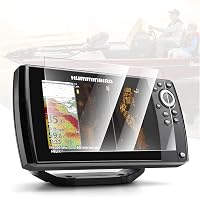
The Karltys guard is cut for Humminbird Helix 7 GPS G2, G2N, G3, G3N, G4, and G4N, at 7 inches. It uses tempered glass with 9H hardness and an anti-glare, anti-fingerprint finish.
The pack has 1 guard, so it suits one screen with no spare.
This guard helps if you run a Helix 7 as a second screen or on a small boat. It does not fit a Lowrance unit, since the screen shape and size differ, so check the model letters before you choose it.
For Lowrance owners who like to learn the full menu first, our lowrance hook fish finder how to use guide covers HOOK screens in plain steps.
Which 10 inch screen guard is a good spare option?
A 2-pack is useful when you want one guard on the screen and one spare in a tackle box. The spare matters if the first guard cracks or picks up deep scratches.
The INNOSURE 2-pack is cut for Garmin EchoMAP Ultra 102sv, 105sv, and 106sv, plus Ultra 2 102sv, 105sv, and 106sv, at 10 inches. It uses tempered glass with 9H hardness and an oleophobic coating.
The pack has 2 guards and installation kits.
A 10 inch guard will not fit a 12 inch or 7 inch screen. It also will not fit a Lowrance screen with a different shape, so measure the glass area, not just the diagonal size, before you buy.
If you plan to fish in bright sun after the update, our guide on What Is Sonar Sensitivity on a Fish Finder? helps you tune the picture after new software changes defaults.
How do you check settings after a Lowrance update?
Check the version, chart settings, sonar settings, and saved data right after the install. Do not launch the boat until the screens look right at the dock.
Open the version page and confirm the new build number. Then check that charts load and waypoints remain, and reset any settings that changed.
Turn sonar on for a clean return. If the screen is blank, check the transducer cable and sonar device settings, since new software can reset the source.
Test touchscreen or buttons in Home, Sonar, Chart, and Settings. If you fish in cold weather, our guide on fishfinder for ice fishing how to use can help you set the unit for ice use.
What causes Lowrance update errors and how do you fix them?
Most errors come from the wrong file, a bad card format, low power, or a card removed too soon. Fix those four first.
If the unit cannot find a file, check the model match and the card root. Re-download and copy it again to a supported, correctly formatted card.
If the install stops partway, leave power on and do not remove the card. Note the error, then try a fresh formatted card and the correct file for your series.
If the unit turns off during install, charge the battery and use a dock charger. For other brands, our guide on furuno fish finder error code 102 shows how model-specific codes can be.
How do you keep Lowrance updates safe over time?
Keep a record of each version, back up settings before each install, and test at the dock. That habit turns updates into a short task instead of a risk.
Save a note with the date, old version, new version, and card used. Store download files on your computer for later checks.
Back up waypoints and settings before every major release. Keep that backup on a separate card, and label cards so you do not mix them.
Test charts, sonar, network devices, and any second screen after each install. If you are still learning the basics, [Do Fish Finders Really Work?
What to Know](/do-fish-finders-really-work/) gives useful context on sonar and screens.
Can you update lowrance fish finder software on a budget?
Yes, the update itself is free from Lowrance, but you may need a microSD card and a screen guard. Spend on the size your unit supports, not a large card it may not read.
Use a card that meets the maker size limit. A small, supported card is often more reliable than a large card with a format the unit does not like, so keep it clean and dry.
A screen guard is optional, but helps if your screen is already scratched. The three guards in this guide cover 12 inch, 7 inch, and 10 inch screens, and none fits every Lowrance unit, so match the size first.
If your unit is older, check whether Lowrance still posts files for it. The maker support page can confirm the last file for that model.
Lowrance updates work best when you match the file, keep power steady, and test at the dock. For a smaller screen, our lowrance eagle 5 how to use guide can help you learn that menu layout before your next update.
Frequently asked questions
How do I update a Lowrance fish finder?
Download the file for your exact model and series, copy it to a formatted microSD card, and install it with the unit dockside and powered. Keep the unit on power, do not remove the card during install, and confirm the new version after restart.
Do I need a microSD card for a Lowrance update?
Many compatible Lowrance units use a microSD card, but the slot and file method vary by model. Check your manual and the download page for your unit before you buy or format a card, and use a card size the unit supports.
Can I update a Lowrance on the water?
No, keep the boat dockside or in a safe place where power stays steady. An interrupted update can leave the unit unusable, so do not start the install while the boat is moving or while the battery is low.
What should I do if a Lowrance update fails?
Stop, leave power connected, and check the model match, card format, and file placement. Re-download the correct file, try a supported formatted card, and follow the maker steps for your exact series before you try again.