How to Troubleshoot a Humminbird Fish Finder
Start humminbird fish finder troubleshooting with power, connections, and settings before you replace parts. Most faults come from a weak battery, a loose cable, a dirty transducer, or a setting that hides the return, so work through each system in order.
On this page (9 sections)
- Why won't my Humminbird fish finder turn on?
- What does a blank, frozen, or flickering screen mean?
- How do I fix a Humminbird with no sonar or no depth reading?
- Why is my Humminbird screen hard to read in sunlight?
- How do I check the transducer and its cable?
- What causes interference on a Humminbird display?
- When should I reset the unit or update the software?
- How do I protect the screen after a repair or reset?
- What is the fastest humminbird fish finder troubleshooting order?
Start humminbird fish finder troubleshooting with power, connections, and settings before you replace parts. Most faults come from a weak battery, a loose cable, a dirty transducer, or a setting that hides the return, so work through each system in order.
Check power first because a low battery can cause a blank screen, a reboot loop, or false readings. Then check the display, sonar, transducer, interference, and reset options in that order.
Why won't my Humminbird fish finder turn on?
A Humminbird that will not turn on most often has a power fault, not a failed screen. Check battery voltage, the fuse, the power lead, and the ground wire before you buy parts.
Turn the unit off and disconnect power before you touch wiring. Inspect battery terminals for corrosion and clean them with a wire brush.
Check the inline fuse and replace it only with the same rating. A fuse that blows again points to a short or pinched lead.
Use a multimeter to confirm voltage while the unit tries to start. If power reaches the unit and the screen stays dark, try a different power lead to separate a faulty lead from a faulty head unit.
What does a blank, frozen, or flickering screen mean?
A blank or frozen screen usually means a power drop, a software hang, or a loose display connection. Confirm steady power before you reset the unit.
Power the unit off, wait a full minute, then reconnect the battery and start it again. If the logo appears then the screen goes dark, check voltage under load and inspect the power plug.
Look at the display in shade. A faint image can still be present when the backlight fails, so adjust brightness and contrast.
Check for moisture behind the screen and let the unit warm up in dry air. If fog returns, dealer service may be needed.
If the same menu returns after a reboot, back up settings when menus respond, then restore factory defaults.
How do I fix a Humminbird with no sonar or no depth reading?
No sonar or no depth reading usually starts with the transducer, the depth range, or a sonar setting. Confirm the transducer is clean and aimed straight down.
Hold the boat still and watch for a depth number. If the unit shows dashes, set depth range to auto first, then try a manual range a little deeper than the bottom.
Check sensitivity and switchfire after the range. Our guide to What Is Sonar Sensitivity on a Fish Finder? explains how low settings hide fish and high settings add noise, so start near the factory setting.
Inspect the transducer face for mud, algae, paint, or a bent bracket and clean it with a soft cloth and mild soap. Reseat the cable plug with power off and check for cuts.
Why is my Humminbird screen hard to read in sunlight?
A hard to read screen usually comes from glare, a dirty surface, low brightness, or a protector that traps dirt. Clean the screen and test without a protector before you blame sonar.
Start with how to clean humminbird fish finder screen for a safe routine. Use a soft microfiber cloth in straight strokes, since salt, sunscreen, and bug spray can leave a film that looks like glare.
Set brightness high, then adjust contrast and color palette for the light. A strong contrast palette often reads better on a sunny deck.
[Do Fish Finders Really Work?
What to Know](/do-fish-finders-really-work/) covers why a unit can miss fish in shallow, muddy, or very cold water.
Which screen protector suits a Humminbird Helix 7?
Choose the Karltys protector if you run a Helix 7 G2, G2N, G3, G3N, G4, or G4N with a 7 inch touchscreen. It is tempered glass with 9H hardness, and Karltys says it resists glare, fingerprints, scratches, and shattering.
This protector suits Helix 7 owners who want a single sheet that fits the stock screen. It keeps touch response direct and the anti glare finish can help when sun hits the dash.
It will not fix a weak backlight or low battery, so test the bare screen first.
Skip it if your Helix is not a 7 inch model. Measure the screen before you order and clean the glass fully before you apply the sheet so dust does not sit under the edge.
How do I check the transducer and its cable?
Check the transducer by sight, by touch, and by a known good swap before you replace it. Most faults show up as a loose mount, a dirty face, a kinked cable, or a loose plug.
Look at the mount from the side and from below. The face should sit flat and level, with no tilt from a bump or bent bracket.
Run your hand lightly over the face with power off and feel for algae, barnacles, or a chipped edge. Clean the face and check the cable where it passes through the hull or transom.
Reseat the plug at the head unit and at any extension cable, lock the collar fully, and keep the plug dry. A loose plug can cause dropouts that look like interference.
What causes interference on a Humminbird display?
Interference usually comes from a nearby motor, a poor ground, a radio, or another sonar on the same frequency. Find the source by switching each device off one at a time.
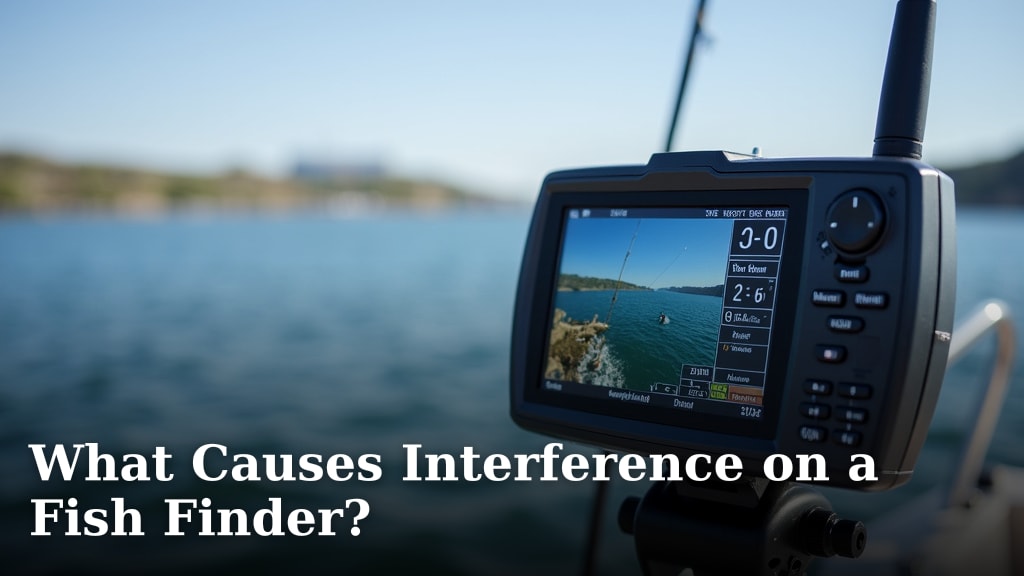
Our guide to What Causes Interference on a Fish Finder? lists common sources. Start with the trolling motor and kicker motor, because brushes and ignition systems can send noise through the battery, and how to reduce kicker interference fish finder may be the next read.
Move the head unit power lead away from trolling motor leads. Keep sonar cables away from alternator and radio leads, and check that the battery ground is solid.
Separate two sonars by spacing transducers apart and using different frequencies when units allow it. Switch one unit off to test for crosstalk.
When should I reset the unit or update the software?
Reset or update a Humminbird only after power, sonar, and interference checks point to settings or software. A reset will erase waypoints and saved preferences, so back up first.
Save waypoints and settings when menus work. Note sensitivity, range, and filter settings, then restore factory defaults and test in the same spot where it failed.
If the fault returns right away with factory settings, the cause is likely hardware. If the fault clears and stays clear, old settings were the cause, so rebuild one setting at a time.
Update software only from an official source and follow the maker steps in order. Keep the battery connected to stable power during the update and do not turn the unit off until it says the update is done.
For a smaller Helix model, humminbird helix 5 troubleshooting may match your menus more closely. For a different brand fault, furuno fish finder error code 102 shows how an error code can point to a specific system.
How do I protect the screen after a repair or reset?
Protect the screen after repair with a clean surface, a fitted protector, and a shade check in bright light. A protector will not fix a fault, but it can keep scratches and glare from making a clean display look dull again.
Clean the glass, let it dry, and test brightness before you apply anything. If you use a protector, align it slowly and press out air from the center.
A sheet that lifts at the edge can trap water and make touch input feel uneven.
Which 12 inch protector fits Garmin EchoMAP Ultra models?
Choose the Vivelancia 2 pack if you run a Garmin EchoMAP Ultra or Ultra 2 122sv, 125sv, or 126sv with a 12 inch screen. It is tempered glass with 9H hardness, an anti glare finish, and an oleophobic coating that Vivelancia says resists fingerprints.
This 2 pack suits Garmin owners who want a spare sheet on the boat. The 12 inch size covers the full display and the anti glare finish can help at midday.
It is not made for a Humminbird Helix, so match the model first.
Skip it if your screen is 10 inches or 7 inches. A sheet that is too large can cover buttons or the case edge, and a sheet that is too small will leave corners exposed.
Which 10 inch protector fits smaller Garmin screens?
Choose the INNOSURE 2 pack if you run a Garmin EchoMAP Ultra or Ultra 2 102sv, 105sv, or 106sv with a 10 inch touchscreen. It is tempered glass with 9H hardness, a glossy finish, and an oleophobic coating that INNOSURE says resists smudges.
This 2 pack suits Garmin owners who want a spare sheet and clear touch response. The rounded edge can feel smooth under a finger and the high clarity finish keeps colors close to the bare screen.
It is not made for a Humminbird, so check the model number before you order.
Skip it if you need anti glare more than clarity, because this sheet has a glossy finish. Measure the screen, clean it well, and keep the second sheet for a replacement when the first one scratches.
What is the fastest humminbird fish finder troubleshooting order?
Use this order: power, screen, sonar, transducer, interference, then reset or update. That order finds common faults first and keeps you from replacing parts that still work.
Write down each result as you go. Note voltage, fuse condition, depth range, sensitivity, and which device was on when noise appeared.
Those notes help a dealer test the right part.
Pick the fix that matches the fault. Clean contacts for a power fault, reset settings for a frozen menu, clean and level the transducer for no depth, and separate motors or sonars for noise.
If clean power, a level transducer, and factory settings still leave the unit dark or silent, stop and seek service. That result points to the head unit, cable, or transducer in a way home tests cannot separate.
Frequently asked questions
Why will my Humminbird fish finder not turn on?
Check battery charge and voltage first, then inspect the power lead, fuse, and ground connection for corrosion or a loose fit. Clean contacts with power off, confirm the unit gets full voltage under load, and test with a known good battery if the screen stays dark.
Why does my Humminbird show no depth or no sonar?
Confirm the transducer is submerged, clean, and aimed straight down, then check that sonar is on and the depth range can reach the bottom. Try a factory reset, inspect the cable for cuts, and move the unit to test it in a bucket of water if it still shows no return.
Can a screen protector cause a hard to read display?
A loose, dirty, or poorly fitted protector can add glare, trap moisture, and make touch input feel less direct. Clean both surfaces, reseat the protector, or remove it for a test, and compare brightness and clarity with the bare screen in the same light.
When should I stop troubleshooting and seek a repair?
Stop if you find burnt wiring, a cracked housing, water inside the unit, or a transducer cable cut close to the plug. Those faults can damage the battery or the head unit, so a dealer or Humminbird support can test the parts with proper tools and confirm the warranty status.