How to Use a Fish Finder for Ice Fishing
To use a fish finder for ice fishing, drill a hole, lower the transducer straight down into the water, and fish vertically above it. Set the unit to the right depth range, watch for fish marks near the bottom, and adjust sensitivity so the screen stays clear.
On this page (10 sections)
- How do you set up a fish finder for ice fishing?
- How to use a fish finder for ice fishing step by step
- What settings should you change for ice fishing?
- How do you read fish marks under the ice?
- How do you pick the right hole and depth to fish?
- How do you keep the screen readable in cold weather?
- Which protectors suit larger 10-inch and 12-inch units?
- What common ice fishing mistakes should you avoid?
- How do you fish better with what the screen shows?
- How can you remember this fish finder ice fishing guide?
To use a fish finder for ice fishing, drill a hole, lower the transducer straight down, and fish vertically right above it based on what the screen shows. This fishfinder for ice fishing how to use guide covers setup, settings, and reading the display so you can find fish faster.
You can learn how to read a fish finder screen first if the marks and colors are new to you.
A fish finder sends sonar down and shows returns on the screen. Your job is to place the transducer well, set the depth range, and read the marks.
How do you set up a fish finder for ice fishing?
Start with a clean hole, a level transducer, and the unit set to the water depth. That setup gives a clear view of the bottom and fish above it.
Drill where you plan to fish and clear slush and ice chips. Lower the transducer a few inches below the ice, clear of the walls, since contact or tilt weakens the view.
Tie off the cable so it does not drift. Set the depth range just past the bottom, because too deep shrinks detail and too shallow cuts off the bottom.
How to use a fish finder for ice fishing step by step
Drop the transducer, set the range, then jig while you watch for marks that move toward your lure. That order keeps you from chasing screen noise.
First, keep the transducer vertical and still while bubbles clear. Second, set depth range and sensitivity.
Third, lower your lure just off the bottom and lift it slowly.
Marks that rise toward your lure likely mean fish. Fixed marks may be structure or bottom, and speckles mean sensitivity is too high.
Our guide on What Is Sonar Sensitivity on a Fish Finder? explains what that control changes.
What settings should you change for ice fishing?
Use a narrow depth range, moderate sensitivity, and your unit's vertical fishing display mode. Boat settings often waste screen space under ice.
Set the range to bottom depth plus a small margin so fish look larger. Set sensitivity high enough to show your lure and small fish, but low enough to keep the background clean.
Turn off speed based screens you do not need. Use zoom in deep water, but test it first in shallow water.
If you use a flasher style view, learn how to read a flasher fish finder to match marks to depth.
How do you read fish marks under the ice?
Look for marks that move, change depth, and respond to your lure, not just any mark on the screen. Moving marks are the best sign of live fish.
Fish often show as arcs, dots, or thick bands. A mark that rises when you jig is likely a fish, while a fixed mark may be a weed, rock, or bottom edge.
Many panfish sit just above the bottom line. Lower your lure where marks stack, or try a smaller lure if marks sit higher.
For colors and symbols, how to read a fish finder screen breaks down the display in detail.
How do you tell fish from bottom clutter?
Fish marks move and react, while bottom clutter stays fixed in place. That one test saves a lot of wasted jigging time.
Jig your lure up and down and watch what changes. A fish mark may move toward the lure or change shape.
Fixed marks at the same depth are more likely bottom features. Also check the bottom depth number.
If it jumps a lot, the transducer may be tilted or the bottom may be soft.
Slush in the hole can also create false marks near the top. Clear the hole again if you see strange marks just under the ice.
Keep notes on depth and lure size for each hole.
How do you pick the right hole and depth to fish?
Pick holes over depth changes, weed edges, and current seams, then fish the depth the screen shows fish holding. Structure concentrates fish in winter, especially when food is low.
Use a map to find points, humps, creek channels, and weed lines. Drill a few test holes before you set up camp.
Drop the transducer in each hole and watch for marks for a minute or two. A hole with steady marks is better than a hole with none, even if the map looks good.
Fish the depth the marks suggest. If marks sit 2 feet off the bottom, start your lure there.
If they sit tight to the bottom, work lower and slower. Move if nothing shows after a short check.
How long should you stay at one hole?
Give a hole a fair check, then move if no marks appear or respond. Sitting too long on an empty hole costs you prime time.
Spend a few minutes watching before you drop a lure. If marks show, fish a bit longer.
If no marks show and the bottom looks flat, drill a new hole nearby. When marks show but do not bite, change lure size or color before you leave.
How do you keep the screen readable in cold weather?
Keep the unit warm, dry, and glare free so you can see marks at a glance. Cold, bright ice light makes screens hard to read.
Keep the unit out of wind and snow when you can. Wipe condensation off the screen with a soft dry cloth.
Bright sun on ice can wash out the display, so angle the unit away from direct light. Gloves make touch screens harder to use, so adjust settings before you start jigging.
Stops for how to clean humminbird fish finder screen show safe cleaning steps for a screen that gets wet, slushy, or smudged. Clean the screen gently and dry it fully before the next trip.
Which screen protector suits a smaller Helix unit?
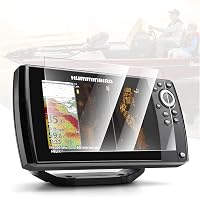
Choose the Karltys protector if you run a Humminbird Helix 7 and want a single 7-inch tempered glass sheet. It is made for Helix 7 G2, G2N, G3, G3N, G4, and G4N models.
Karltys says the glass has 9H surface hardness, anti-glare, anti-fingerprint, and anti-scratch properties. It comes as a 1 pack, so there is no spare sheet in the box.
That matters if you fish hard and want a backup.
The smooth tempered glass keeps touch response clear according to Karltys. In daily use, that means less glare on bright ice and fewer smudges from glove touches.
Check that your exact Helix 7 variant matches before you order.
Which protectors suit larger 10-inch and 12-inch units?
Pick a protector by screen size first, then by pack count and mount style. A 12-inch unit needs a 12-inch sheet, and a 10-inch unit needs a 10-inch sheet.
For 12-inch Garmin EchoMAP Ultra and Ultra 2 units, the Vivelancia 2-pack is cut for 122sv, 125sv, and 126sv models. It is tempered glass with 9H hardness and anti-glare coating.
Vivelancia says the oleophobic coating resists fingerprints and helps with smooth swiping.
For 10-inch Garmin EchoMAP Ultra and Ultra 2 units, the INNOSURE 2-pack is cut for 102sv, 105sv, and 106sv models. It has 9H hardness, high clarity, and an oleophobic coating.
INNOSURE says the 2.5D rounded edge is shaped for touch comfort.
Both 2-packs give you a spare sheet, which is useful if one gets scratched or dropped on the ice. Match the size in the title to your exact model number before you buy.
What common ice fishing mistakes should you avoid?
Avoid tilted transducers, wrong depth ranges, and sitting on holes with no fish. Those errors cause most blank screens.
A tilted transducer can miss fish or show a false bottom. A boat depth range can shrink fish to dots, and sitting for hours on a hole with no marks wastes prime time.
High sensitivity can turn slush, bubbles, and ice noise into fake fish. Lower it until the screen clears, then raise it just enough to show your lure.
If you want to know Do Fish Finders Really Work? What to Know, that guide sets honest limits on what sonar can and cannot do.
How do you fish better with what the screen shows?
Use the screen to pick depth, lure size, and hole choice, not as a guarantee of a catch. Sonar shows fish, but it does not promise they will bite.
If marks rise to your lure, keep a steady jig and watch for pauses. If marks vanish, they may have left or changed depth, so slow down with a smaller lure near the bottom, or try a larger profile or different color if marks cruise high.
For Simrad owners, simrad fish finder how to use covers menu steps for that brand. For Simrad screen reading, how to read a simrad fish finder explains its display symbols.
How can you remember this fish finder ice fishing guide?
Keep the core steps in mind: level transducer, right depth range, moving marks, and move if no fish show. That simple loop works on most lakes.
Set up each hole the same way. Check depth, sensitivity, and transducer angle before you jig.
Watch for response, adjust lure size or depth, and move on if marks do not cooperate. Clean and protect the screen so it stays easy to read all season.
Pick the screen protector that matches your unit size, keep settings simple, and let the fish finder guide your next hole. Good setup beats fancy settings every time.
Frequently asked questions
How do you use a fish finder for ice fishing?
Drill a hole, lower the transducer straight down, and keep it a few inches below the ice. Set the depth range to the water depth, lower your lure near the bottom, and watch the screen for fish marks.
Adjust sensitivity until fish show clearly without too much noise.
Can you use a boat fish finder for ice fishing?
Yes, many boat units work through ice if the transducer can be set up for vertical use. You will need a way to hold the transducer in the hole and keep it level.
Check the maker settings for ice fishing or flasher mode before you go.
What depth should a fish finder show under ice?
The display should show the depth from the ice surface to the bottom, not from the waterline alone. Ice thickness changes that number by several inches.
Set the range just past the bottom so fish near the bottom fill more of the screen.
Why does my fish finder show noise under ice?
Noise often comes from a tilted transducer, bubbles, or sensitivity set too high for clear cold water. Level the transducer, let bubbles settle, and lower sensitivity a little at a time.
Also check that the cable is not picking up interference from a nearby power source.